This project will demonstrate input and output, along with the usual reinforcement of project development methods. The instructions will be less detailed, assuming the reader’s been following along or at least is familiar with the concepts so far.
Create a project folder, such as InOut.
Within this new project, right-click and create a new text file, renaming it to inout.py.
Right-click on inout.py, and choose to edit with Notepad++.
Within inout.py, enter the following:
userName = input( “Please enter your name: ” )
This will display the prompt, starting with “Please…”, and will wait for keyboard input with a blinking cursor. The input value will then be loaded into the variable, userName.
Next, enter the following to display what was entered, along with a bit of text:
print( “Hello ” + userName + “, and welcome to Python.” )
In Python, the “+” symbol instructs the interpreter to connect the strings before displaying.
Save the file, and open a CMD window.
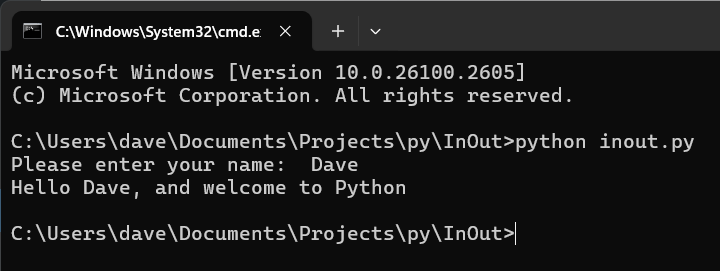
Have Python run the script. If your display looks something like the following, mission accomplished:
If you got this far, you’re well on the way to being able to follow the rest of Python Crash Course, without needing to get tangled up with Visual Studio Code (VSC). That said, the next session will be trying to setup VSC to add a bit more complexity to inout.py.